Understanding Dog Behavior
Are the behaviors presented caused by stress, excitement, boredom, or fear? Without objective metrics, it can be difficult to understand progress, identify triggers, and measure training effectiveness.
Building an AI-powered dog training app to ease new dog parent stress
Explore Prototype
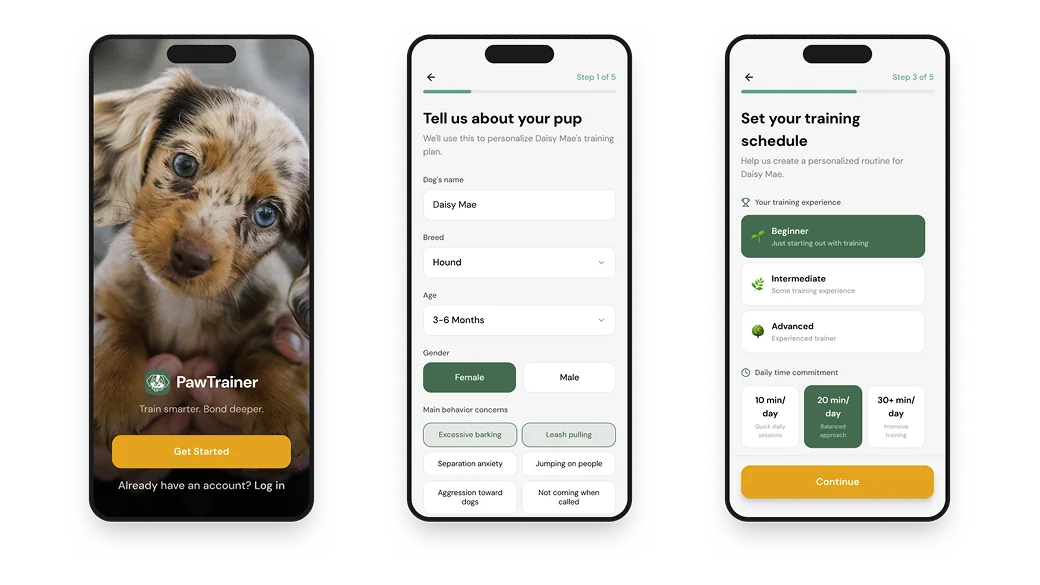
PawTrainer is a mobile dog-training app that was inspired by the challenges of training a new puppy. The app combines smart collar data with AI coaching to provide personalized support, behavioral insights, and real-time feedback.
My primary role was to connect a Gemini model to our chatbot interface, transforming it from a static concept into a functional experience.
I led the AI integration and conversational experience design, collaborating with a UX Designer and Project Manager. I focused on designing and implementing Scout, PawTrainer's chatbot.
This was my first time integrating the Gemini API into a project, so there was definitely a huge learning curve!
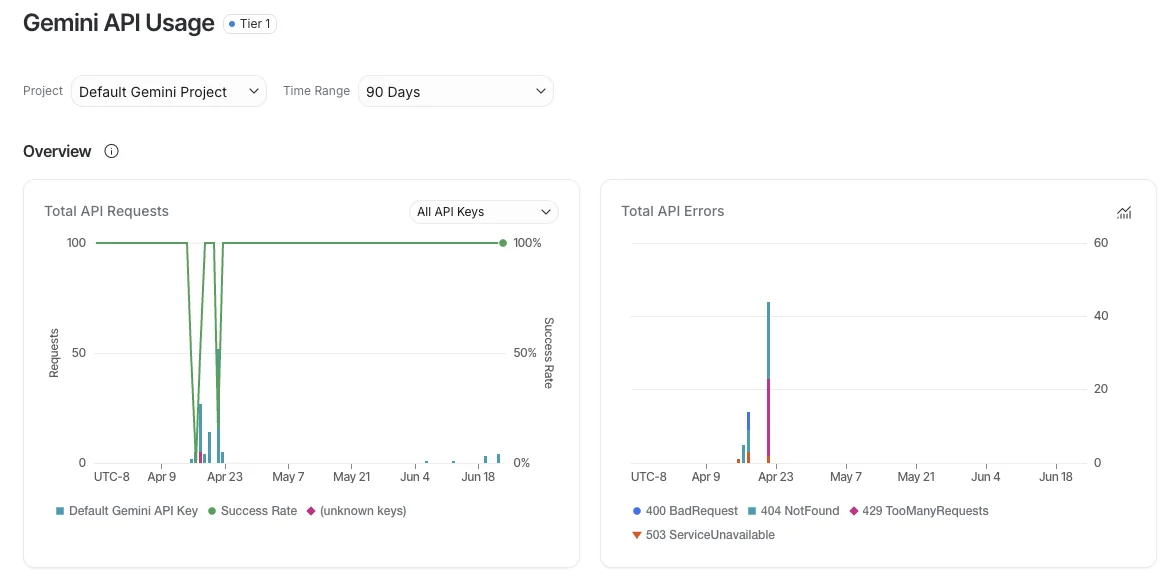
I generated a free Gemini API key in Google AI Studio after my team was satisfied with the current iteration of our app. Since our prototype was built in Figma Make, I directly prompted the AI chat to configure a secure connection between our project and Supabase, where the key could be safely stored.
Behind the scenes, there was plenty of trial and error: testing different models, troubleshooting unexpected errors, and learning about API rate limits, all while having no coding experience. Ultimately, we selected gemini-3-flash-preview based on our use case and added a spending cap to our workspace to help manage API usage during development.
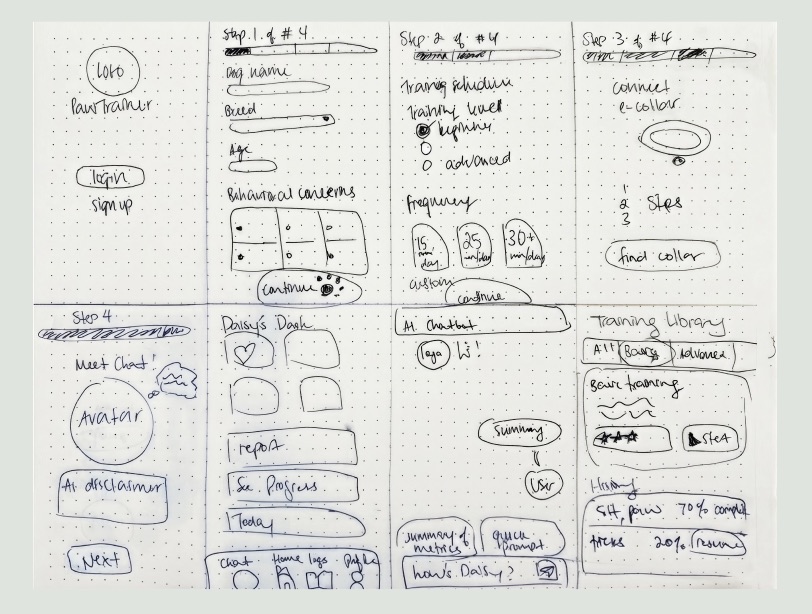
We started with individual sketches and wireframes. These sketches on paper turned into interactive prototypes fully vibe coded using Figma Make. Our initial prompt defined the visual direction, including:
We continued refining the interface and interactions, bringing us to the current version of PawTrainer.
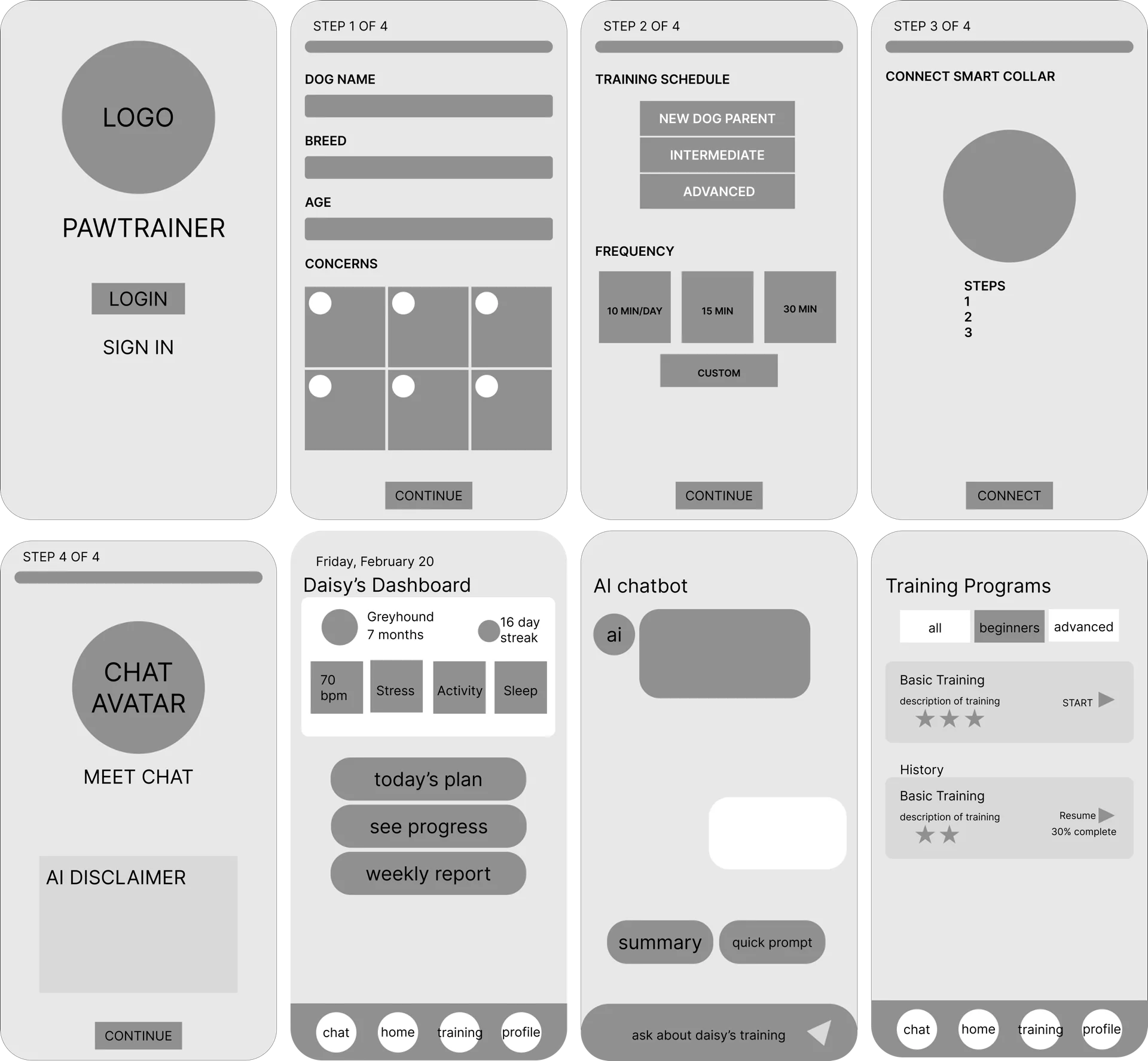
PawTrainer was designed with new dog parents in mind because we know how amazing and overwhelming a new puppy can be.
New users can easily set up an account, logging details such as dog name, age, breed, training goals, and concerns. Connecting to a smart collar gives owners a look at key metrics, such as heart rate, sleep score, and stress levels.
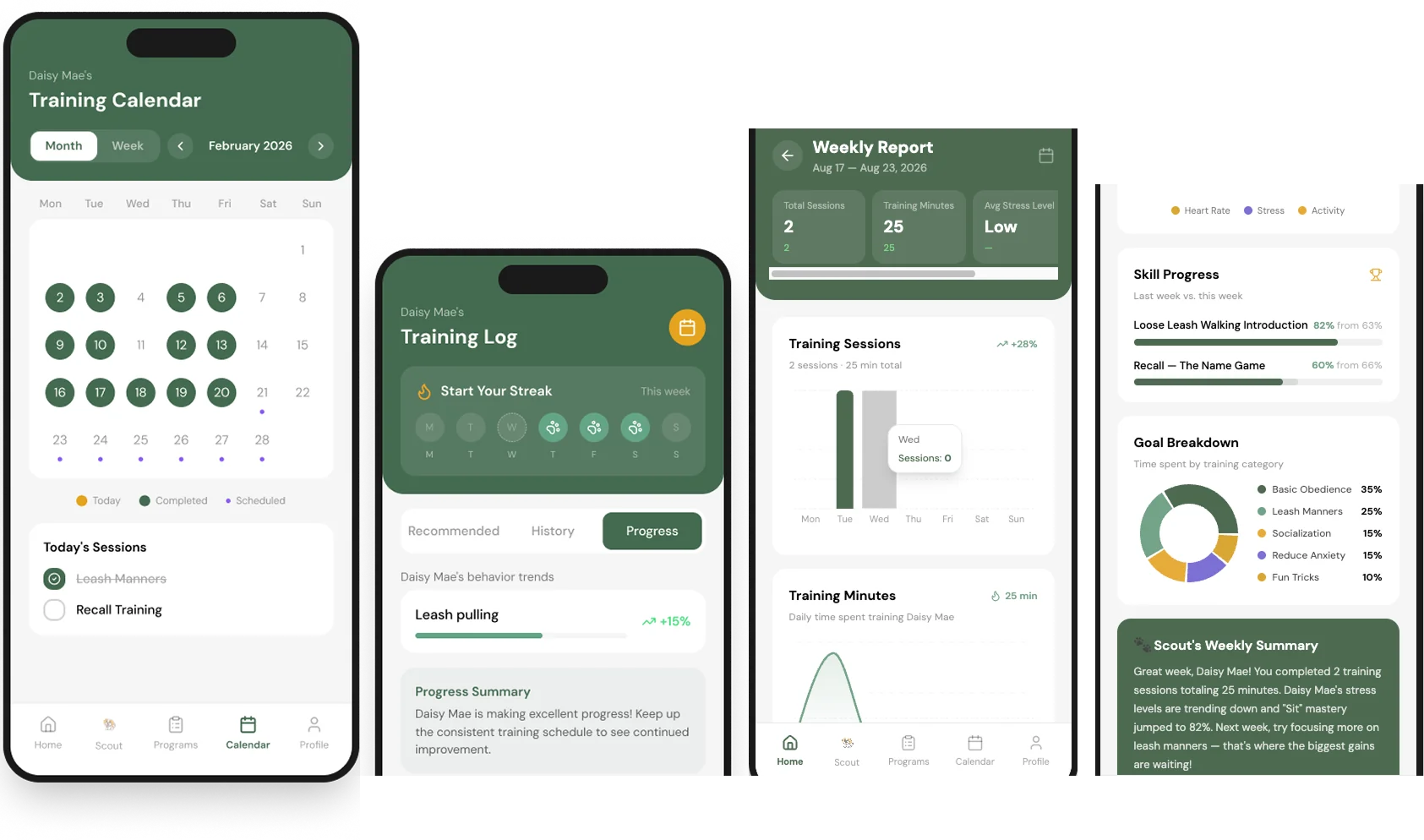
In the app, users can read a daily tip specific to their dog breed, chat with Scout, check out training programs, view progress reports, start a training session, toggle between weekly and monthly calendar views, and get training reminders.
Our team explored how AI and sensor data could support dog training while keeping the experience approachable for new dog owners.
We researched:
We explored machine learning approaches including:
Our research helped us understand how raw sensor data could be translated to provide a personalized training experience.
Through research and user interviews, we identified three major pain points in the dog-training experience.
Are the behaviors presented caused by stress, excitement, boredom, or fear? Without objective metrics, it can be difficult to understand progress, identify triggers, and measure training effectiveness.
Professional trainers are typically available only during scheduled sessions, while behavioral challenges can happen at any time. Owners may find themselves asking questions in the moment:
Training requires high cognitive effort. Owners may struggle to:
PawTrainer was designed to be a human and canine centered experience. Our goal is not to replace, but supplement and enhance traditional (in person) dog training with our features.
PawTrainer combines smart collar data with AI coaching to transform passive observations into personalized, actionable training guidance. This helps dog owners understand their dog's behavior, reduce the cognitive load of training, and see measurable progress over time.
Paired with a smart collar, PawTrainer can help owners better understand their dog's behavior.
The app translates behavioral and physical metrics into clear, actionable coaching while providing continuous support between training sessions.
My primary responsibility was designing and implementing Scout, PawTrainer's AI-powered training companion.
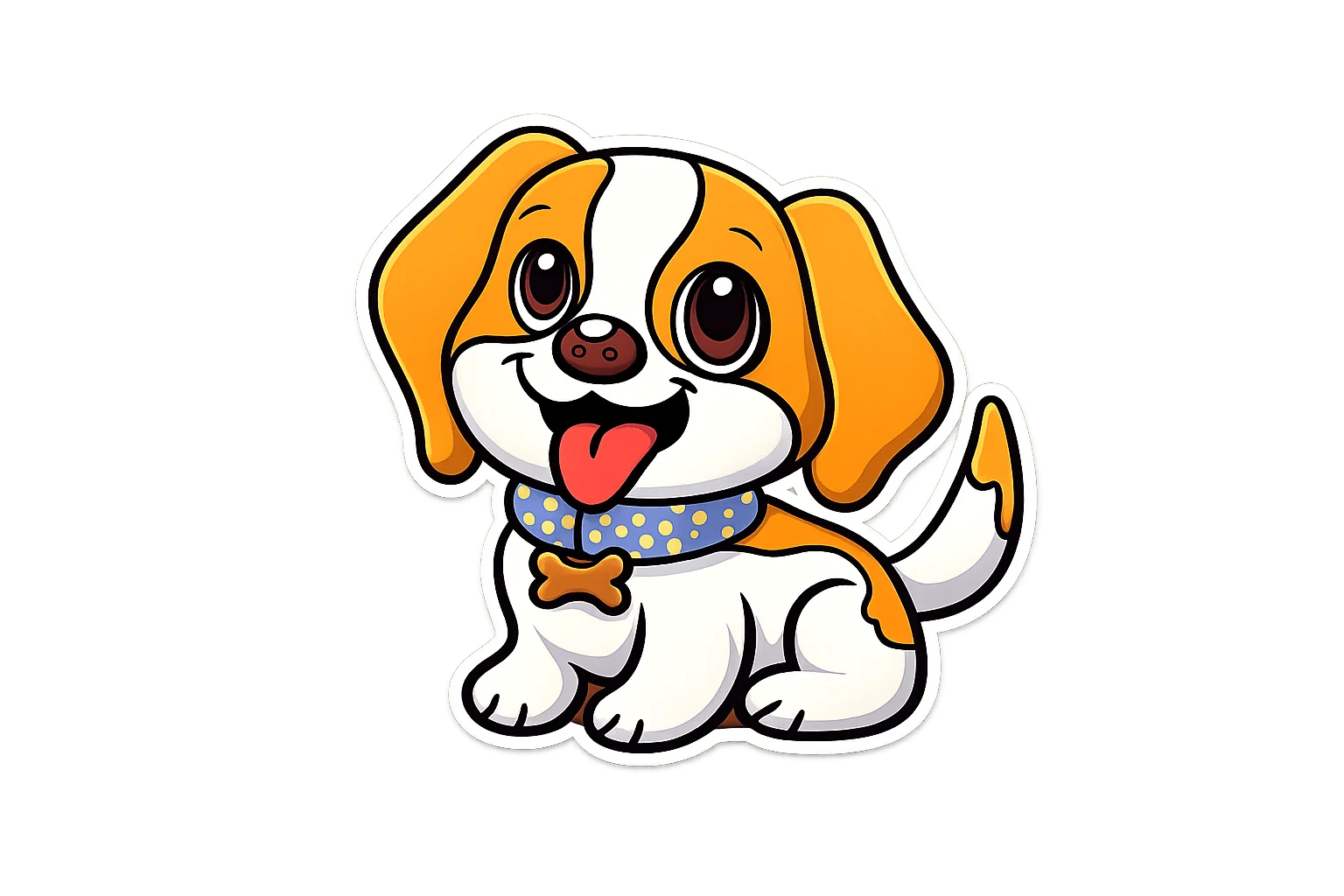
Scout provides guidance and contextual support when owners need it most. Whether it's a late-night concern about barking or uncertainty about reinforcement timing, Scout serves as an accessible source of coaching and reassurance.
In order to integrate the Gemini API into our Figma project, I had to:
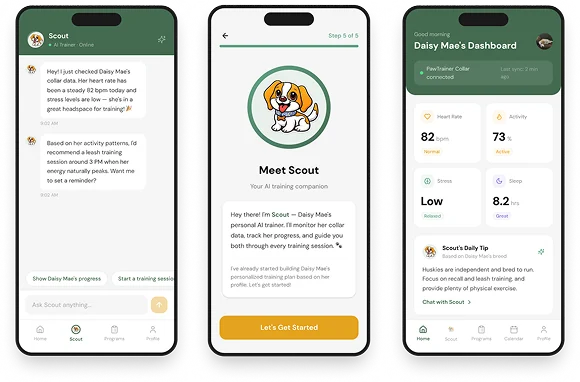
Traditional training often relies on retrospective feedback from trainers. PawTrainer introduces real-time coaching by using smart collar data to provide contextual, real-time coaching. The system can identify patterns associated with behaviors such as:
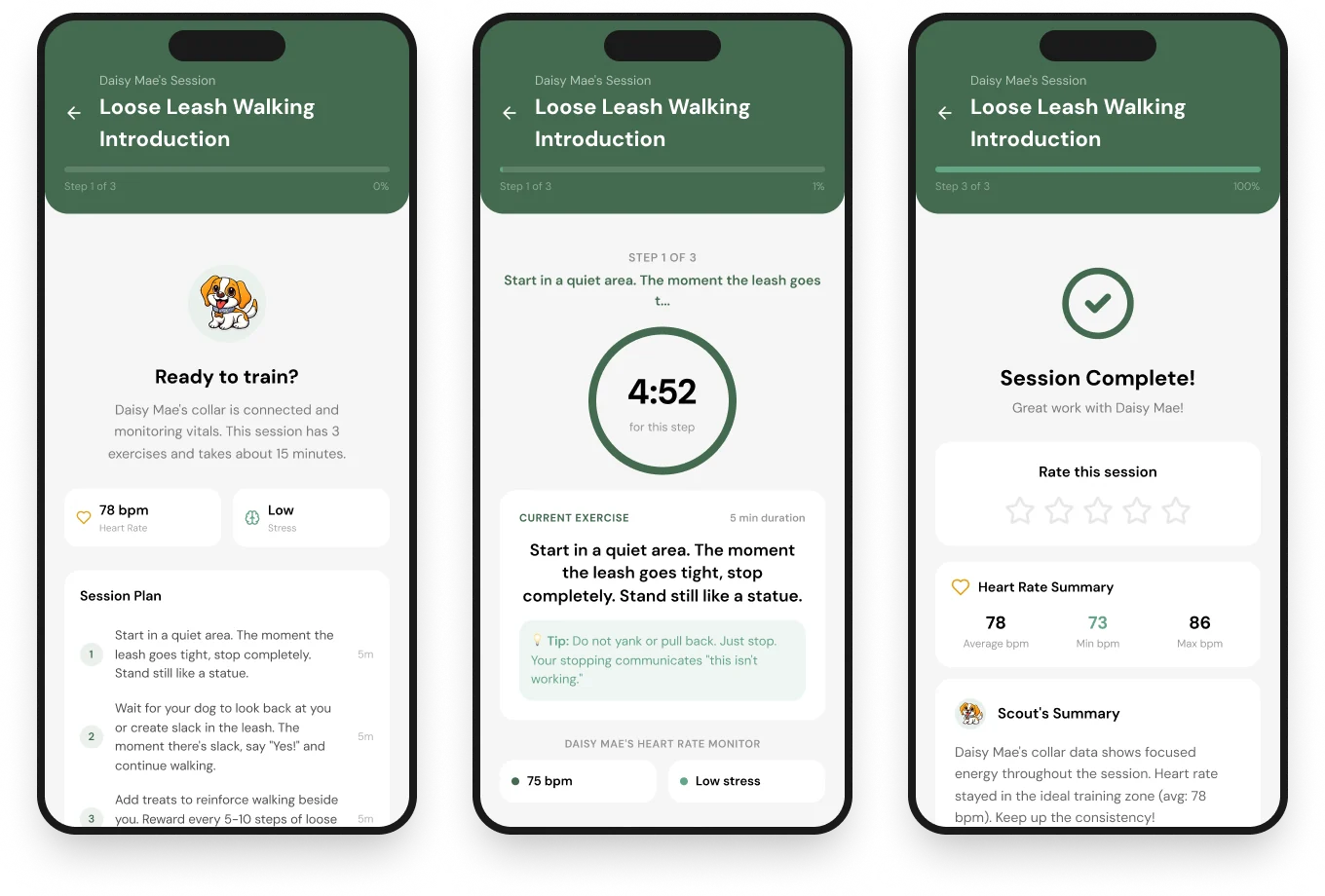
A core design goal was to make training easier to follow for busy pet parents. PawTrainer organizes training into manageable steps so owners don't have to remember every technique or track their progress manually.
Guided Training Sessions include:
Users can pause or skip ahead when needed, giving them more control over the pace of a session. We also added a heart-rate indicator to the training experience after receiving feedback from users.
PawTrainer supports consistency with:
Together, these features reduce the amount of information owners need to remember and help turn training into a more manageable routine.
The next three screens are related to setting up an account and connecting a smart collar.
Account Setup
We designed onboarding to easily gather information about the dog, such as name, breed, age, and behavior concerns.
Smart Collar Experience
The collar ecosystem was designed to feel like an integrated part of the product.
Terms + Conditions
We used Claude to generate an initial draft and then manually reviewed and edited the content to ensure clarity and relevance.
PawTrainer has evolved significantly since our earliest concepts. At the time of writing, the project has gone through over 150 iterations and continues evolving. This journey was filled with error messages because I was stepping into unfamiliar territory, but it has been such a valuable learning experience as a designer.
Our next steps include:
Building a functional AI prototype with Gemini showed me that designers can create interactive experiences without coding backgrounds, as long as
If you'd like to discuss PawTrainer, share feedback, or talk about AI-powered product design, I'd love to hear from you!